

HarnessBuild
Code packages and main
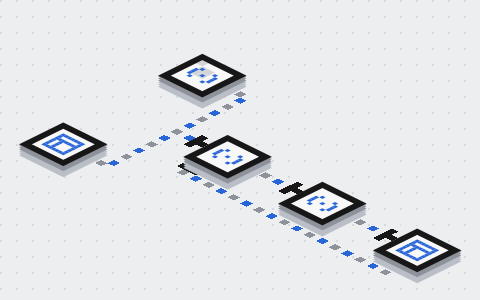
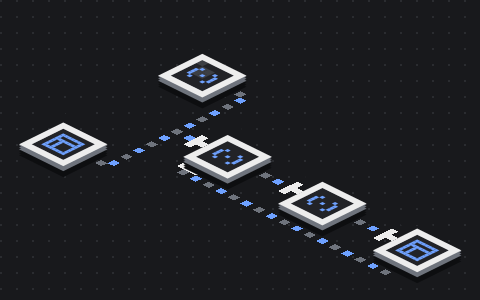
Every turn ends up running one code package's entry point, main(context, handle). The Runtime calls it once per turn: context is the turn's business input, and handle is the private handle through which it asks the platform for things. The platform's own Ailo is a code package like this too, with no access that a customer's package would not have.
Current status
Live conversations run only the platform's two entry points today: the built-in loop and the standard package. A code package you upload cannot run in a live conversation yet; you can pack it into a .ailo, upload it, have it statically checked and save it as a version. This page describes the interface as it is today.
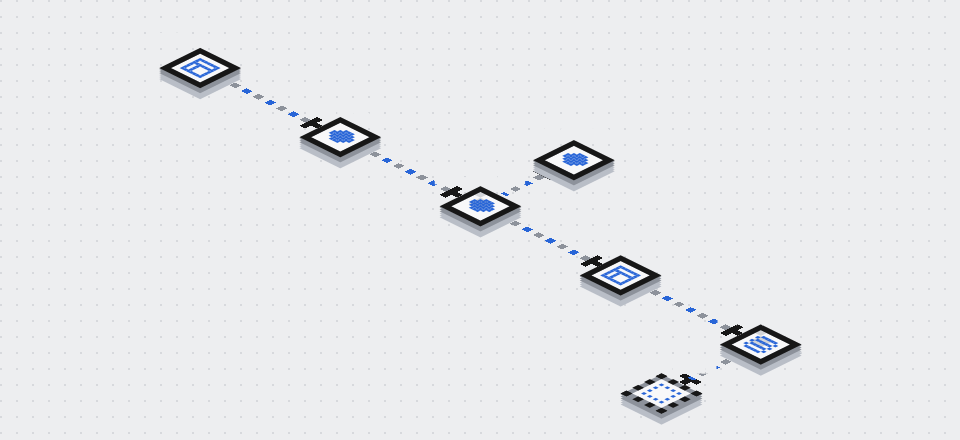
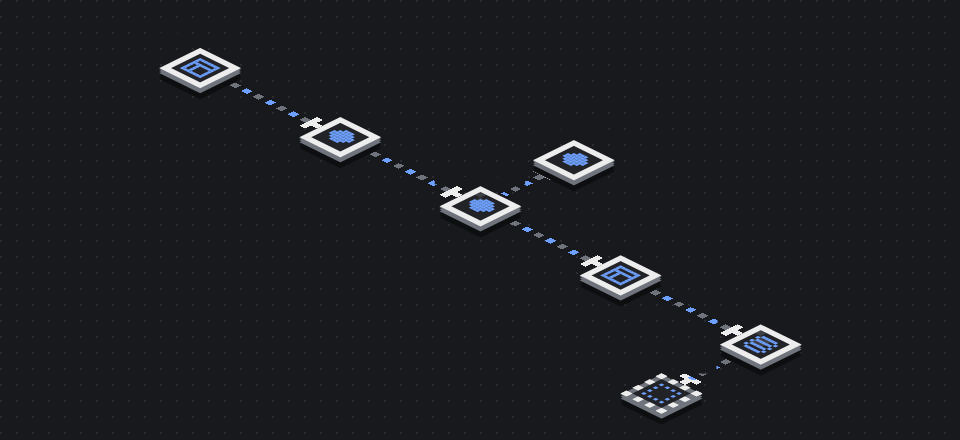
What the entry point looks like #
import type { Main } from '@ailodesk/ailo-sdk';

export const main: Main = async (context, handle) => {
  // Read context; use handle to call the model and make requests to Desk
  return { success: true };
};
main returns a MainResult:
| Result | Meaning |
|---|---|
{ success: true, end_reason? } |
This call finished normally |
{ success: false, error: { code, message? } } |
The package's code failed |
success: true only says main finished, not that a message was sent; success: false does not mean nothing happened. What the customer received is whatever Desk's receipts say. Once main returns or throws, the Runtime closes the turn for you.
context: the turn's input #
| Field | Contents |
|---|---|
turn |
turn_id, the trigger trigger, the deadline deadline_at, this turn's reply language locale |
conversation |
The context Desk chose for this turn: recent public messages, notes for Ailo, public fields of tickets |
user_info |
Only when the customer's identity is verified, otherwise null. The type has player_id, name, locale, tier and attributes; today only player_id and locale are filled in |
allowed |
The actions and Desk tools allowed in this turn |
package |
The pinned package version: system prompt prompt, SOPs procedures, FAQ faq, two catalogues and site settings settings |
engine |
The engine parameters pinned for this turn, such as the maximum model calls per turn and how to close when a limit is hit |
test |
A test conversation: only Desk's read tools are offered |
simulated |
Handoffs and tickets are recorded as simulations only. The current test bench runs handoffs for real (to the person who started the test), so this is false there |
images |
Images the customer sent, prepared by the Runtime; you decide whether the model sees them |
A few rules:
- The model sees only what you put in. The Runtime never adds
contextto the model input on its own; evenuser_inforeaches the model only if you write it in. - Internal content is not in
context. Notes for the team, internal ticket goals, other conversations and credentials are never given to a code package. package.proceduresandpackage.faqareMaps keyed by name; each entry hastitle,version,text,toolsandtags. Where the fields come from is in Knowledge and SOP API.
handle: asking the platform #
| Method | What it does |
|---|---|
start / get / resume / cancel |
Model runs: start a run, read its state, hand back tool results and continue, cancel |
submitAction(action) |
Submit an action to Desk: reply say, handoff request_human, assist ticket request_assistance, end finish, fail fail, and progress activity.* |
callTool(call) |
Call a business tool hosted by Desk |
recordExternal(call) |
Record a result read from an outside system and get a ref a reply can cite |
unread() |
Has the customer written something this turn has not read? |
teamOnline() |
Is a teammate online now to pick up a draft? |
report(step) |
Report the package's own steps for the run record |
cancelled(), signal |
Whether the turn was cancelled; signal aborts when the handle closes |
- Desk's receipt is the answer.
submitActionandcallToolreturn{ kind: 'receipt', … }or{ kind: 'uncertain' }. When it is uncertain, do not resend under a new id: that could do the same thing twice. - The same request keeps the same id. Replaying a request id within a turn is recognized as a duplicate and returns the first result.
- The handle is valid for this call only. Calls after
mainreturns throwHostError('handle_closed'). The handle is not business data: never give it to a model, write it to a log or pass it to a tool.
Who guarantees what #
Whether you use the SDK's loop, write your own loop or skip the SDK entirely:
- The Runtime enforces each turn's model-call limit, the daily budget and the deadline. A package cannot get past them.
- Desk enforces serving rights, organization isolation, input validation, the turn's permissions and the evidence checks. A package's own approval counts for nothing.
- Real writes in business systems must be made idempotent by whoever runs them. When the result of a write is unknown, do not redo it and do not promise the customer an outcome.
The Runtime can run the entry point in a separate worker thread, which contains infinite loops, crashes and memory misuse, but this is not a security sandbox: before customer code can be opened up, the platform has to design a real isolation boundary.
Choosing the entry point: engine.main #
In a package version's engine parameters, engine.main chooses which entry point the package runs:
| Value | Runs |
|---|---|
| unset | The built-in loop (default) |
loop |
The built-in loop |
standard |
The main of the standard package @ailodesk/harness-standard, written with the SDK and reusing the built-in loop's prompts, tools and checks |
Those are the only values; neither can point at your own code. Change engine parameters with set_package_engine_config: it needs an organization admin, Config turned on for the organization, and a web sign-in. It saves a new version and does not go live; going live works as in Versions, publishing and going live.
How the standard package is wired today
The standard package currently reaches live conversations through a temporary in-process adapter and is off by default. Once the platform's persistent run path is ready, it replaces this adapter and the release evaluation is run again.
Uploading a code package #
What you can do today: pack a built package into a .ailo file with ailo pack and upload it; the platform checks it against its manifest and updates the draft if it passes; saving explicitly creates an immutable version. Only .ailo files are taken; ZIP versions uploaded earlier can still be viewed and downloaded. If you choose another file in the Console, the page says only a .ailo can be uploaded and uploads nothing.
What a .ailo is #
A .ailo is a standard ZIP with a manifest, ailo.json, at its root. The platform installs no dependencies and builds nothing: you upload a built artifact, with every dependency the code needs (the Ailo SDK included) already bundled in.
ailo.json field |
Contents |
|---|---|
format |
The manifest format version: ailo pack writes 2 today; the older 1, with no tools, is still accepted |
name, version |
The package name (lowercase letters, digits and -) and a semver version |
protocol |
The protocol version for talking to the platform, from ailo.protocolVersion in package.json |
runtime |
The runtime, node24 today |
entry |
The entry file, .js or .mjs |
sdk, built_by |
The SDK version at packing time (optional) and the packing tool |
files |
The size and sha256 of every file other than ailo.json |
tools |
Format 2 only: the package's own tools, see “Tools in a package” below; an empty list when the entry exports none |
Packing and checking locally #
Bundle the code and the SDK into the entry file with the template's build first, then, in the package directory:
ailo pack
ailo validate ringfall-helper-1.2.0.ailo
ailo pack [DIR] [--out FILE.ailo]readsname,version,main(the entry) andailo.protocolVersionfrompackage.json, packs the files or folders listed infiles(the folder holdingmainwhen there is none; withmainat the root, the whole directory lessnode_modules,.git,.env, keys and earlier.ailofiles) pluspackage.json, README, LICENSE and a lockfile, and writes<name>-<version>.ailo. Entries are sorted and carry a fixed time, so the same files give the same fingerprint everywhere, and the same bytes with the same CLI and Node version. It builds nothing, installs nothing and follows no symlink (a link anywhere in a path is refused); when the check fails it writes nothing.ailo validate FILE.ailoruns the platform's upload check locally.- Both read local files only and need no sign-in.
Tools in a package #
Besides main, the entry exports tools: a list of tools made with defineTool. ailo pack loads the entry once, in a separate Node process on your machine (its top-level code runs, as it would under node), reads each tool's name, the description the model gets, its input_schema, its type and where it is defined, and writes them to tools in ailo.json. The platform reads only that list; it never loads uploaded code to list tools.
import { defineTool, type Main, platformTools, runAgent } from '@ailodesk/ailo-sdk';

export const orderStatus = defineTool({
  name: 'order_status',
  type: 'Orders',
  description: "Look up where one of this player's orders stands, by its order id.",
  input_schema: { type: 'object', properties: { order_id: { type: 'string' } }, required: ['order_id'] },
  execute: async (input, scope) => ({ body: { ok: true /* … */ } }),
});
export const tools = [orderStatus];
export const main: Main = (context, handle) =>
  runAgent(context, handle, { /* … */ tools: [...tools, ...platformTools(context)] });
typegroups the Harness tools page. You choose the text: 1–32 characters with no leading or trailing space; a tool without one is Uncategorized.platformis kept for the platform's own tools (reply,request_humanand the like) and no custom tool may use it, in any case (tool_type_reserved). The type only groups and filters; the model never sees it.- Names are the ones the model calls: a lowercase letter first, then lowercase letters, digits and
_, at most 64 characters, unique within the package. At most 200 tools. - Where it is defined is the line that calls
defineTool, so put the objectdefineToolreturns intoolsas it is: a copy ({ ...tool }) has no location. When the build leaves a source map and the original file is packed too (addsrctofilesinpackage.json), that is the original file's line; otherwise the built file's; a file that is not packed is left out. - The SDK's platform tools (those from
platformTools) are not listed: they belong to theplatformgroup. - If the entry fails to load, takes more than 20 seconds, or exports a
toolsthat is not a list,ailo packstops and says why (tools_unreadable) and writes nothing. Timers or servers the entry starts do not keep it waiting.
What is checked #
Five layers, in order. The first two stop at the first problem; the other three list every problem at once, up to 50. Only syntax trees are parsed; nothing is executed.
| Layer | Checks |
|---|---|
| File | The name ends in .ailo; at most 10 MiB; a valid ZIP |
| Archive | Safe paths; no .git, node_modules, .env or keys; no links, encrypted or damaged files; no native binaries (.node, .so, .dylib, .dll, .exe); at most 30 MiB unpacked, 10 MiB per file, 1,000 files and 32 path segments |
| Manifest | A root ailo.json (at most 512 KiB) with every field and no others; a format version and protocol version the platform supports; in format 2, tools with valid, unique names, no platform type and sources that are files in the package |
| Integrity | Every file in the package is listed in ailo.json with a matching size and sha256; every listed file is there |
| Code | The entry exports a function main; every static import from the entry onwards is followed: relative paths must point at files in the package, third-party packages must be bundled in; Node built-in modules do not count as missing |
Common failure codes:
| Code | Meaning |
|---|---|
manifest_missing |
No ailo.json at the root: the package was not packed with ailo pack |
nested_root |
ailo.json is inside a folder: the outer folder was zipped too |
format_unsupported |
The platform does not know this manifest format version |
protocol_too_old |
The protocol version is older than the platform supports: upgrade the SDK and pack again |
file_unlisted / file_missing |
A file in the package is not in the manifest, or a listed file is not in the package |
file_hash_mismatch |
A file changed after packing |
native_binary |
The package contains a native binary |
import_unresolved |
The entry, or a file it imports, imports something the package does not contain |
tool_type_reserved |
A tool's type is platform, the platform tools' type: choose another |
tool_type_invalid |
A tool's type is empty, has a leading or trailing space, is over 32 characters or contains a control character |
tool_name_duplicate |
Two tools have the same name |
tool_invalid |
A tool's name, description, input_schema or source location is not valid |
Protocol versions #
The platform's protocol version is 1 today, and the oldest it supports is 1. Once the protocol moves on, packages older than the oldest supported version are refused (protocol_too_old); upgrade the SDK and pack again.
Fingerprint #
For a package that passes, the platform records the sha256 of the canonical ailo.json as its fingerprint; it does not depend on the order of files in the ZIP or on the spacing in ailo.json. ailo pack and ailo validate print the same value.
Third-party libraries and keys #
- Third-party libraries are bundled in. The platform installs no dependencies and has no list of preinstalled libraries: every library the package uses (a model vendor's SDK or another agent framework included) goes into the entry or the package's files through your build. Any pure-JavaScript library works; one that needs a native binary does not (
native_binary). - You can call external models or agents with your own key. You put the key in the package, in code or in a JSON config file in the package; the platform keeps no secrets for code packages. Files named
.env,.env.*(except.env.example,.env.sampleand.env.template), SSH private keys such asid_rsa,*.key,*.pem,*.p12or*.pfxare refused, so keep keys out of them. - Every member who can see the Console can download versions (
harness_url, which needsconsole.view), and so can read the keys in them. Versions are immutable: to change a key, pack, upload and save a new version, then revoke the old key with the external service. - Outbound network rules are not decided yet. Uploaded code does not run today; which external addresses it may reach is settled together with the isolation design.
Obfuscation #
Obfuscated code is fine. The check parses syntax trees and runs nothing, so obfuscated code passes when:
- It is an ES module (
.jsor.mjs) and the entry still has the named exportmain; that name must not be changed. Whenmainis the result of a call (wrapped once, say), the upload passes and the check is left to run time; a literal, object, array or class is refused. - It was bundled before it was obfuscated: static
imports may only point at files in the package or Node built-in modules. - It stays within the size limits above; obfuscation often makes files several times larger.
Also:
- Obfuscation does not protect keys. Anyone who can download the version can still recover the strings in it.
- Leave source maps out. A
.mapfile is not refused, but shipping one hands over the source. - Errors and stack traces show the obfuscated names; keep your own unobfuscated build to read them against.
- For the same source to give the same fingerprint, give the obfuscator a fixed seed.
- Avoid options that generate code at run time or fight debuggers (
eval,new Function, debugger loops): the isolation design may not allow code generated at run time, and debugger traps run into each turn's deadline.
Intact is not safe #
A .ailo only guarantees that the package is complete and has not changed since it was packed. It does not make the code safe, and there is no signing yet. Before uploaded code can run in live conversations, the platform needs isolation at the level of a virtual machine or container; until then the organization's Code packages switch is off by default and only platform staff can turn it on. Serving rights, keeping internal content internal, no invented progress, no unfounded promises and organization isolation are enforced on the Desk side only (see Who guarantees what above); nothing a package's code does gets around them.
- Not available yet: running, and using an uploaded version in conversations or releases.
| Command | HTTP |
|---|---|
create_ailo |
POST /api/tenants/{tenant_id}/ailos/commands/create_ailo |
upload_harness |
POST /api/tenants/{tenant_id}/ailos/{ailo_id}/harness?filename=F.ailo&expected_revision=N with the raw .ailo bytes as the body |
save_harness |
POST /api/tenants/{tenant_id}/ailos/commands/save_harness |
read_harness |
GET /api/tenants/{tenant_id}/ailos/{ailo_id}/harness: the draft, the versions and the result of each upload |
Write commands need an admin. upload_harness takes the Idempotency-Key header as its command id. From the CLI: ailo ailos upload AILO_ID --revision N --file F.ailo.
Next #
- Ailo SDK: write
mainwith a ready-made loop and tools. - The Runtime and run records: per-turn limits, budgets and how to see what a turn did.