

DeskGuides
Serving and assist tickets
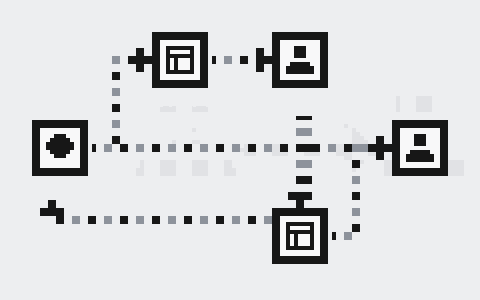

Each conversation has one person or agent serving it at a time: whoever is talking to the customer. Ailo serves when it can. When a teammate needs to look something up or confirm it, Ailo opens an assist ticket for them; Ailo keeps serving the conversation, and the customer sees real progress.
Two concepts #
Serving #
Who serves changes only at two moments:
- a specialist starts serving the conversation;
- a specialist transfers the conversation to Ailo.
When you transfer to a teammate, who serves changes only once they start serving; until then you can cancel the transfer. When a customer is waiting for you, replying is how you start serving: the button reads Start serving & send.
Start serving in the conversation header works only when you hold it; letting go early does nothing.
Once you start serving
The moment a specialist starts serving, any reply Ailo has not sent yet is cancelled and never reaches the customer.
Assist tickets #
An assist ticket is how Ailo asks a teammate for help, for example to check whether a deposit has arrived. A teammate does only two things with a ticket: claim it and resolve it. After claiming, Ailo still serves the conversation; when the ticket is resolved, the result goes back to Ailo, which tells the customer.
Tip
When a teammate only needs to check or confirm something, an assist ticket is enough. Start serving only when the customer needs to talk to a teammate directly.
How a conversation moves #


| Case | Who serves | What the customer sees |
|---|---|---|
| Ailo-led | Ailo | Ailo's replies |
| Assist | Ailo | Ailo's replies, plus the ticket's progress |
| To specialist | Ailo, then the teammate once they start serving | "We've asked a team member to join this chat.", then "{name} joined the chat" |
| Specialist-led | The specialist | The teammate's replies |
| To Ailo | Ailo | "{name} transferred you to Ailo", then Ailo's replies |
When Ailo transfers #
Transferring is a tool Ailo can call, and it calls it only when it cannot solve the request itself. Each time, Ailo chooses between showing the customer a transfer card first and transferring directly; when the site has turned direct transfer off, it shows the card.
A site can turn transfers off. Ailo then never transfers, and if Ailo fails the customer gets one neutral message while who serves stays the same.
The customer's "Chat with our team" entry is hidden by default and appears only when needed.
What the customer sees #
Ticket progress comes only from events that really happened; with no event, nothing is shown. The customer sees four steps in the widget:
| Step | When |
|---|---|
| Submitted | Ailo opened the ticket |
| Accepted | A teammate claimed it |
| In progress | The teammate started working on it |
| Done | The teammate resolved it |
The widget header also shows one line of status, such as "{name} is working on it". When it is taking a while, the conversation says "This is taking longer than expected" once.
What the customer never sees
Internal notes, ticket details, Ailo's reasoning and tool parameters never appear on the customer's side.