

Markdown components
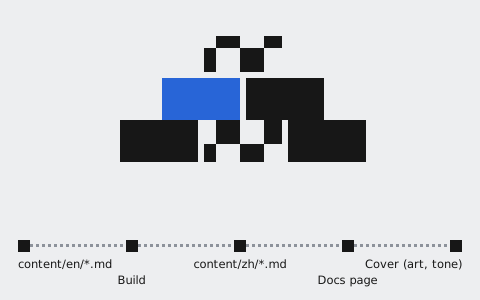
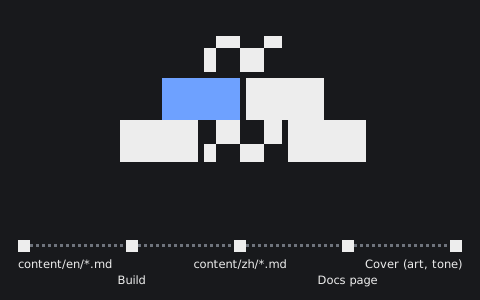
All docs are Markdown files in apps/site/docs/content/en/ and content/zh/; a page has the same path in both languages. Styles, navigation, previous and next, and search are generated by the build, so writers never touch them. Chinese on docs pages uses the system font, not the landing page's cut-down font, so any character can be written without rebuilding a font. This page lists everything you can write.
Page details #
Every page starts with a short block of details. title is required, and so is section on every page but the home page; a mistake fails the build, naming the file and the field.
---
title: Serving and assist tickets
section: desk           # desk, harness, research or contrib
order: 10               # lower comes first within the section
layout: doc             # doc (default), report, api
updated: 2026-11-10
status: Draft           # optional, shown under the title
---
| Field | Used on | Description |
|---|---|---|
title |
All pages | The page title; don't add another top-level heading |
section |
All pages | Which group of the navigation it goes in; one of those in site.json |
group |
All pages | A small heading within the group, such as API reference |
product |
Research | Desk or Harness, required in research |
order |
All pages | Position within the group |
layout |
All pages | doc (default), report for experiment reports, api for API reference; the home page is home |
updated, status |
All pages | Shown under the title |
authors, version |
Reports | Shown in the report details |
description |
All pages | The summary on cards; without it, the report's abstract or the first paragraph |
cover |
All pages | The cover, see Covers |
Headings and links #
## and ### headings appear under "On this page". Link to other docs with the relative path of their .md file, so the link also works in GitHub previews.
## Two concepts
### Serving
See [Conversations API](../desk/api-conversations.md#send-a-message).
Callouts #
Four kinds: tip for advice, note for background, warning for something to watch, danger for something that breaks. You can add your own title after the name.
::: tip
Start serving only when the customer needs a teammate directly.
:::

::: warning After Start serving
Replies Ailo has not sent yet are dropped.
:::
Tip
Start serving only when the customer needs a teammate directly.
Note
Settings apply to new conversations.
After Start serving
Replies Ailo has not sent yet are dropped.
Danger
New event types are private by default.
Tables #
Plain Markdown tables. Align number columns right with ---:; to give a table a caption, wrap it in ::: table.
::: table Main measures for the two settings
| Measure | Setting A | Setting B |
| --- | ---: | ---: |
| Grounded replies | 71% | 84% |
:::
| Measure | Setting A | Setting B |
|---|---|---|
| Grounded replies | 71% | 84% |
| Transferred | 14% | 11% |
Code blocks #
Put a title in square brackets after the language; without one, the language name shows. Every block has a copy button.
```json [progress.updated]
{ "type": "progress.updated", "step": "claimed" }
```
{ "type": "progress.updated", "step": "claimed" }
Code tabs #
Put consecutive code blocks inside ::: code-group to show them as tabs. The language a reader picks is remembered across the site.
::: code-group
```bash [curl]
curl https://api.example.com/v0/conversations
```
```python [Python]
requests.get("https://api.example.com/v0/conversations")
```
:::
curl https://api.example.com/v0/conversations
requests.get("https://api.example.com/v0/conversations")
Figures and captions #
An image's title becomes its caption. Put images in content/assets/; if a .dark version sits next to one, the dark theme uses it.


Covers #
Every page has a cover, shown under the title and on the cards of the home and section pages (API reference pages use it on cards only). Without one, the build draws a pixel picture of the page's own flow and motif, with a light and a dark version, with nothing paid for or fetched. How it is drawn depends on what the page is: architecture as isometric blocks, step-by-step guides as a motif over a track of stations, API references as a fine flow, day-to-day and release pages as coarse squares, research as a motif beside a vertical track. The flow lives in docs/cover-arch.json (nodes and edges, taken from the text), the motif in docs/cover-motifs.ts, the drawing and card colour in MIX in docs/cover-pixel.ts; a new page not yet listed there gets a generic motif.
Or use your own picture: write cover: with a path relative to this .md, like images in the text. Put it in content/assets/; a .dark version next to it is used in the dark theme. Claude can draw it: ask for a 1200×520 SVG about the page, in the site's colours and with no text, saved in content/assets/. A cover is decoration: don't draw a chart or numbers, so nobody reads it as a result.
cover: ../../assets/serving-flow.en.svg
Experiment reports #
Set layout: report, plus authors and version. Start with an ::: abstract; ## sections, figures and captioned tables are numbered automatically. See the knowledge-retrieval report.
::: abstract
Setting B raised grounded replies from 71% to 84%.
:::

## Method
API reference #
Set layout: api. One ## section per endpoint: first ::: endpoint with the method and path, then the description and the parameter table; the request and response for the right column go inside :::: example (four colons, because it holds a ::: code-group). See Conversations.
## List conversations

::: endpoint GET /v0/conversations
:::

| Parameter | Type | Required | Description |
| --- | --- | --- | --- |
| `limit` | integer | No | Page size |

:::: example
::: code-group
```bash [curl]
curl https://api.example.com/v0/conversations
```
:::
::::